
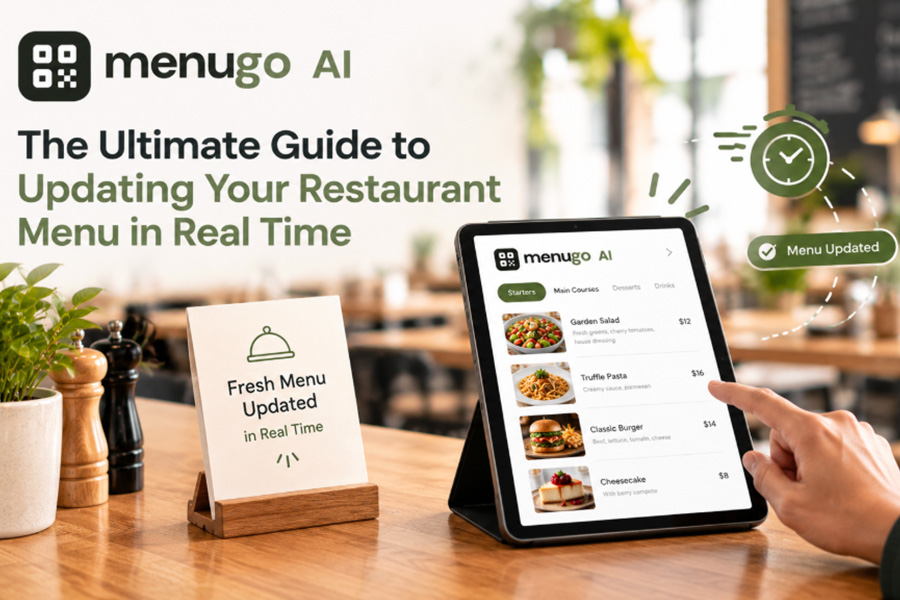
Dinner rush. A dish gets sold out. A supplier raises prices. Season specialty to be blacklisted. Every small change lead to additional work and wasted money when dealing with paper menus.
The digital menu for restaurants makes it easier for you to keep your customers informed at all times. Make a change to an item once, and it can be reflected on the menu your guests see. All at once without waiting for a new print run. No stacks of outdated menus.
Here’s how to implement menu updates in real-time for your restaurant.
Begins with a Menu That Can Be Easily Edited
Decide on a digital menu platform that allows you to edit prices, descriptions, and availability without using any codes. If you already have a POS system, ensure that it integrates with your menu.
The idea is straightforward: your staff should be able to change something in minutes, not take an hour trying to learn how to.
Step 1: Maintain Your Menu Well
Organize dishes into distinct categories: starters/mains/drinks/desserts/etc. Include pricing info and descriptions that are quick for a customer to scan through.
A clean menu simplifies updates as well. With an individual section for each item, switching a dish doesn’t disrupt the rest.
Step 2: Adjust Your Inventory When It Changes
As soon as a trending dish is out of stock − take it off or set it as unavailable. When it returns, add it back.
This also helps to avoid customers ordering something that the kitchen is unable to make. This also eliminates the need for servers to have to explain the same stock swings over and over.
Step 3: Adjust Pricing on the Fly
Food prices do not remain static. When a supplier increases their prices, you may have to change your menu.
For example, if you update the price on a digital menu, you’ll only need to change that particular figure while leaving the rest of the menu undisturbed. You can also easily adjust your seasonal specials without the need to place a new order for paper menus.
More reprints mean much less spent on printing. And best of all, as you can enact adjustments early on before obsolete prices affect into your margins.
Step 4: Put Specials Out Front
The long menu should not hide a daily special. Provide it with a name and description.
Point out popular items or limited-time offerings. This keeps the customers updated on what is new without complicating the menu as well.
Step 5: Test Every Update
Review the menu on your phone, before going live with a change. Check the price and make sure it is correct, that the item is in stock, and that the description is simple to read.
Have a staff person do it as well. Spending a moment reviewing can avert errors that leave customers baffled.
Include Updates as a Routine in Your Calendar
Digital menu for restaurants is best when updates are baked into daily routine. Review availability before each service. Price monitoring when price change from suppliers. Get rid of the old specials when they are over.
You do not need a fancy system to keep track. You need an up-to-date and quick menu that supports customers in confidently placing their orders.
With real-time updates you can reduce wastage, protect margins, and streamline your restaurant operations.